Back to Articles
Product Update2026-08-21 · Adesio Team
Getting Started with Adesio: A Quick Setup Guide
Welcome to Adesio!
Follow this step-by-step guide to set up your account, configure your company profile, and invite your team.
Before You Start
Have the following details ready:
- Work email address
- Company legal name and address
- Company Tax ID (e.g., VAT number)
1. Create Your Account:
- Go to www.ades.io and click Get Started.
- Click Create an account on the login screen.
- Enter your full name, work email address, and a strong password.
- Accept the Terms of Service and click Next.
- Verify: Check your email inbox for a confirmation code, then enter it on screen to verify your account.
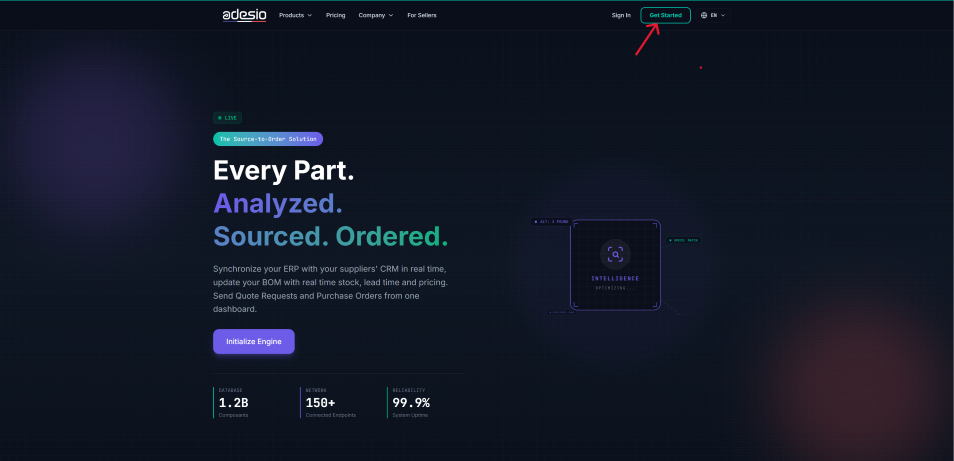
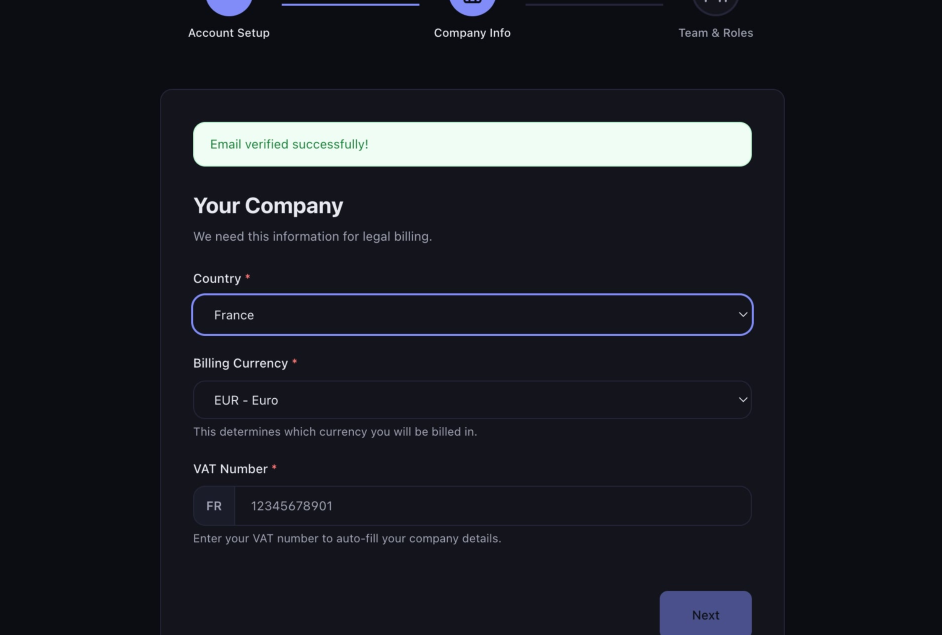
2. Set Up Your Company Profile:
- Select your country and primary billing currency.
- Enter your Tax Identification Number
- Click the refresh icon to auto fill your company details.
- Review the details and click Next to save.
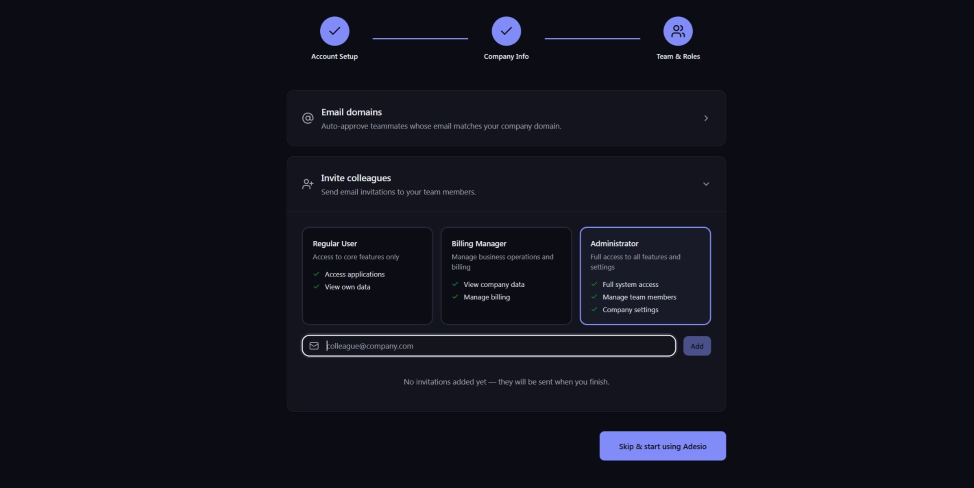
3. Invite Your Team:
-
Enter a team member's work email address.
-
Select their role:
Regular User: Standard application access.
Billing Manager: Manages invoices, payments, and user seats.
Administrator: Full operational control over all settings and permissions.
-
Click Add to send the invitation email.
-
Repeat the process for additional team members.
Congratulations! Your Adesio account is fully configured and ready to use.
Contact us at support@ades.io